PDF Editor
PDF Assistance: Add text, shapes, comments, and highlights to your PDFs with ease — a secure, guided, and user-friendly editing experience.
Select PDF file

or drop PDF here
PDFs aren't one-way. Use our guided, free PDF Editor to edit text, add images, shapes, highlights, and annotations—no account or email required.
-
Add your PDFs with drag & drop to start guided processing—easy and clear.
-
Our editor supports all major browsers and OS for a smooth, consistent experience.
-
Edit PDFs quickly with guided controls—your workflow stays smooth and uninterrupted.
PDF Assistance Online — Guided, Easy, Step-by-Step
No expensive software required. Our free editor guides you through each adjustment, helping you tailor your PDF precisely.
Edit Your PDFs Your Way
Easily enhance your PDFs with text, images, shapes, or drawings. Our guided steps help you customize every detail exactly as you want.

How Does the PDF Editor Work?
Upload your PDF and start editing with guided steps. Add text boxes, notes, or highlights, then download or share with confidence.
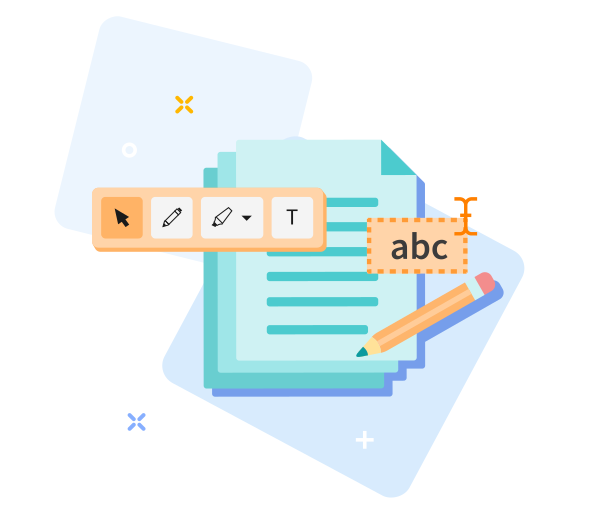
Quick to Save, Easy to Share
Drag and drop your file, follow guided edits, save, and share your PDF in seconds.

Edit PDF Online — Quick & Easy with PDF Assistance
PDF Assistance: drag and drop your PDF to begin a guided edit. Follow a step-by-step workflow with helpful prompts at each stage, and your file will be ready shortly.
Easily Adjust Your Options
Not satisfied with the result? Return to previous steps with a single click and reselect your options anytime. Our guided workflow helps reduce uncertainty and keeps you in control.
Edit PDFs Anywhere
Our editor supports computers and mobile devices, including Android and iOS, ensuring a seamless PDF assistance experience across your devices.
Encrypted File Transfer
Your files are protected with advanced TLS encryption during editing, with contextual feedback to keep you informed throughout your PDF workflow.
Edit PDFs Reliably
Draw shapes, arrows, or freehand easily. We use strong TLS encryption to keep your files secure at all times, while providing clear, step-by-step guidance.
Work in the Cloud
All edits occur in the cloud, saving your device’s resources and letting you edit anywhere with ongoing PDF assistance.
Frequently Asked Questions
Yes. This Edit PDF tool is free to use online as part of your guided PDF workflow. You can start editing without registration, without watermarks, and without installing software. For more complex edits, some advanced features may have usage limits.
You can perform guided edits such as adding or modifying text, inserting images, drawing annotations, and adjusting basic elements directly in your browser. This streamlined, step-by-step approach supports smooth PDF workflows with contextual tips as you proceed.
Yes. Your PDFs are protected with HTTPS during upload and editing, and will be automatically deleted from our servers after a short retention period. This maintains privacy and supports a low-friction PDF workflow.

How to Edit a PDF Online with Guided PDF Assistance
Step-by-step guide to edit PDF for free with our tool:
- Step 1: Upload your PDF to begin your guided editing journey.
- Step 2: Customize text, images, and drawings with contextual tips as you go.
- Guided step: Drag to move text and images precisely as you work through your document.
- Download the edited PDF file.
 Remove pages